
See a photo's EXIF data: camera, date and location
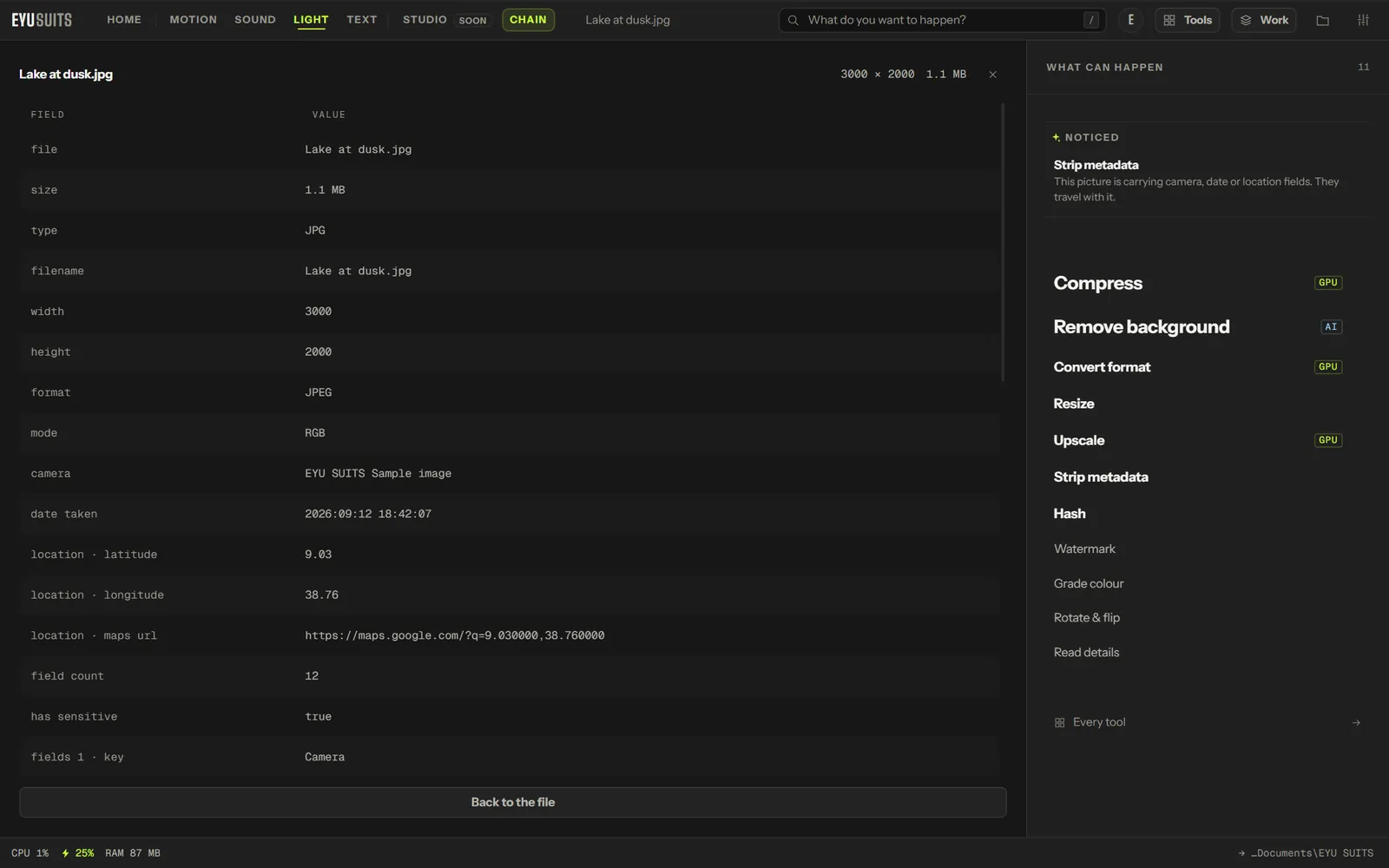
Read details shows what a file is quietly carrying. For a photo: the camera and lens, the exposure, when it was taken, and where. For a PDF: the author, page count, producer and dates.
What it does
- Camera make and model, lens, and exposure.
- The date and time the photo was taken.
- GPS position as coordinates, with a map link.
- PDF author, page count, producer and dates.
- Says plainly when a file carries nothing.
What you can set
- Nothing to set: open the file and run it.
Works with
Images (PNG, JPG, WEBP, GIF, BMP, TIFF, AVIF and HEIC) and PDF.
How it works
- 01Open the file in EYU SUITS: drop it anywhere in the window, or press Choose a file.
- 02Pick Read details from the tools listed beside it, and change the settings if you want to. The defaults are a sensible start.
- 03Press Run. The result is saved to your EYU SUITS folder, and the original is left as it was.
Questions
Can I copy the details?
Yes. Each value in the list can be copied on its own.
How do I remove what it finds?
Use Strip metadata, which removes the EXIF and GPS data from a photo.
More in Light
-
Remove background
Cut the subject out and leave the rest transparent.
-
Upscale
Rebuild it at a larger size without going soft.
-
Resize
Fit the image inside exact dimensions.
-
Grade colour
Push the whole image toward a look.
-
Rotate and flip
Fix the orientation.
-
Watermark
Stamp your name across it so a copy stays traceable.