
Add subtitles to a video
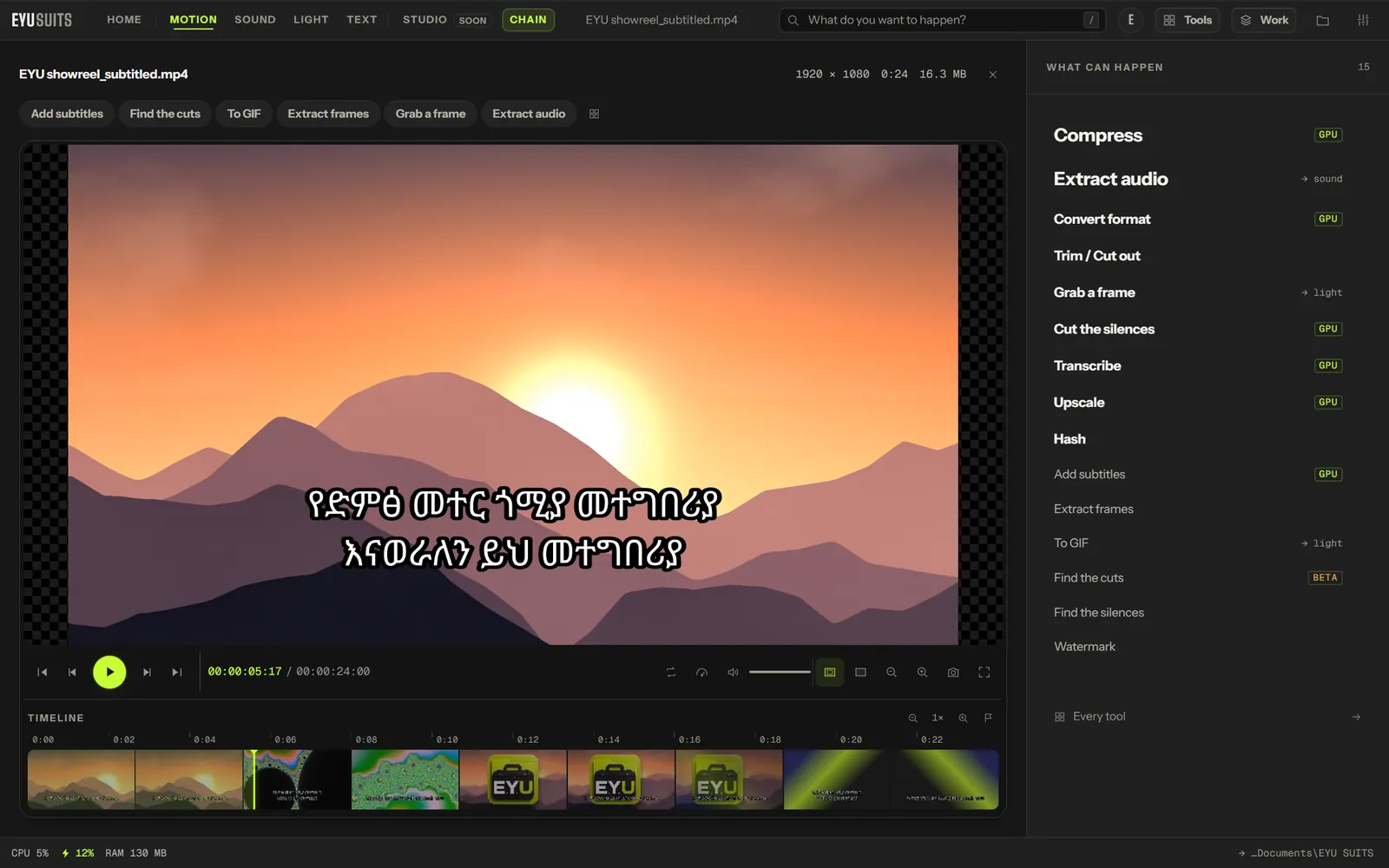
Add subtitles puts a subtitle file onto a video. Paint the words into the picture so they show on every player and every site, or add them as a track that viewers can switch on and off, which takes seconds because the picture is not touched.
What it does
- Takes SRT, ASS and VTT subtitle files.
- Into the picture: always visible, on any player or platform.
- On a track: switchable, with a name, and on or off by default.
- Burning in runs on the graphics card: each caption is drawn once and laid onto the frames by the GPU.
- Fonts that cover the writing, including Noto Sans Ethiopic for Amharic.
What you can set
- Subtitle file: SRT, ASS or VTT.
- Put them: into the picture, or on a track.
- Font, Size and Colour.
- Position: bottom, middle or top, and left, centre or right.
- Bold, Outline, Shadow, a box behind the text, and margins from the edges.
Works with
Video (MP4, MKV, MOV, AVI, WEBM, M4V, MPG, WMV and FLV), with subtitles in SRT, ASS or VTT.
How it works
- 01Open the file in EYU SUITS: drop it anywhere in the window, or press Choose a file.
- 02Pick Add subtitles from the tools listed beside it, and change the settings if you want to. The defaults are a sensible start.
- 03Press Run. The result is saved to your EYU SUITS folder, and the original is left as it was.
Questions
Burned in or a track: what is the difference?
Burned in subtitles are part of the picture, so they show everywhere and cannot be turned off. A track travels alongside the picture, so viewers can switch it on and off in players that support it, and adding one takes seconds.
Can I make the subtitle file in EYU SUITS?
Yes. Transcribe turns the speech in a video into a timed subtitle file, which this tool can then put straight back onto the video.
More in Motion
-
Compress
Make the file smaller while holding on to quality.
-
Convert format
Rewrite the file into another format.
-
Trim / Cut out
Keep one section, or take several out of the middle.
-
Join files
Play several files back to back as one.
-
Extract audio
Pull the soundtrack out as its own file.
-
Grab a frame
Save one moment as a still image.