
See what is taking the space in a folder
What is taking the space breaks a folder down by what is actually large, so you can see at a glance what is filling the drive.
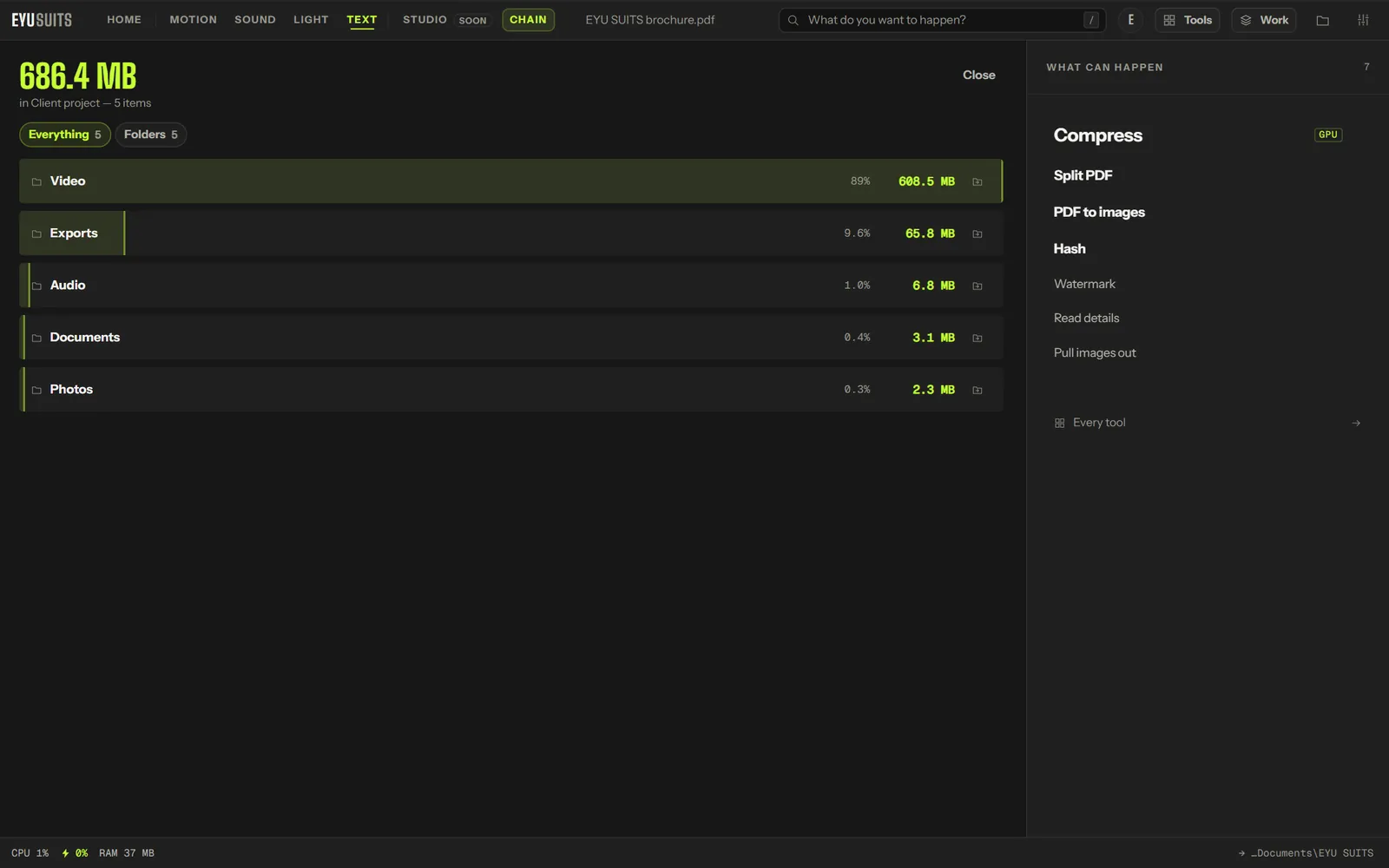
What it does
- A bar for each folder or file, its size, and its share of the total.
- Filter to folders or to files.
- Open any item in its folder with one click.
- Look up to six levels deep.
What you can set
- Levels deep: 1 to 6.
Works with
Any folder.
How it works
- 01Open What is taking the space in EYU SUITS and choose a folder.
- 02Choose how many levels deep to look.
- 03Press Run and read the breakdown.
Questions
Does it delete anything?
No. It only measures. To clear out copies, use Find duplicates.
Why only six levels?
Deeper than that, the breakdown gets too long to read. Run it again on a subfolder to go further.
More in Files
-
Split PDF
Break one PDF into several.
-
PDF to images
Render every page as a picture.
-
Pull images out
Save the pictures inside a PDF, PowerPoint, Word or Excel file.
-
Rename in bulk
Give a pile of files one consistent naming scheme.
-
Find duplicates
Identical files hiding under different names.
-
QR code
Turn a link or a note into a scannable square.