
Convert PDF pages to images
PDF to images renders every page of a document as a picture, sharp enough to print or small enough to post.
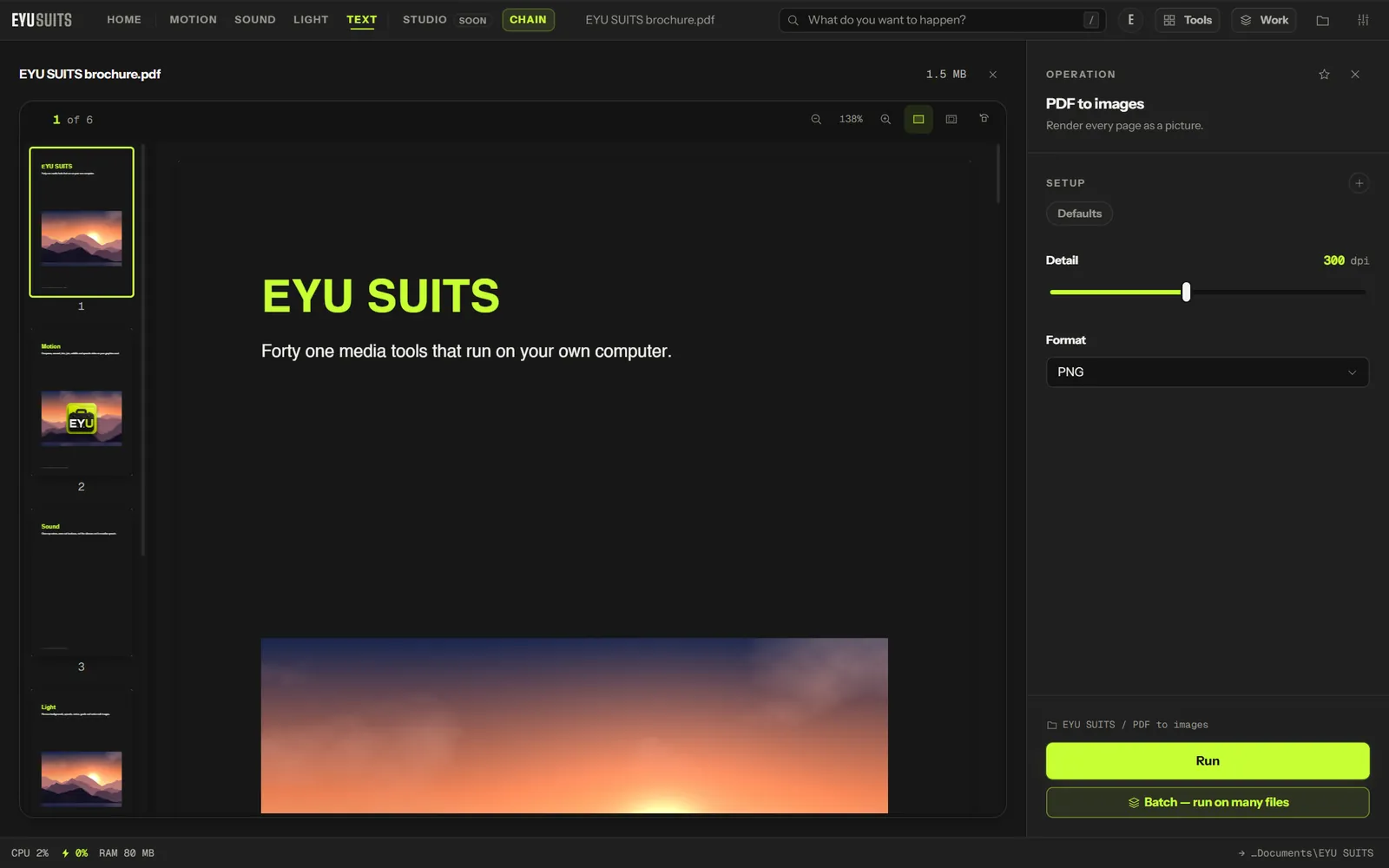
What it does
- Every page as its own image.
- Detail from 72 dpi for screens to 600 dpi for print.
- PNG or JPG.
What you can set
- Detail: 72 to 600 dpi.
- Format: PNG or JPG.
Works with
PDF.
How it works
- 01Open the file in EYU SUITS: drop it anywhere in the window, or press Choose a file.
- 02Pick PDF to images from the tools listed beside it, and change the settings if you want to. The defaults are a sensible start.
- 03Press Run. The result is saved to your EYU SUITS folder, and the original is left as it was.
Questions
What detail should I choose?
150 dpi is plenty for a screen. 300 dpi for print, and higher only for fine detail.
I only want the photos inside the PDF.
Use Pull images out, which saves the embedded pictures at their original resolution instead of whole pages.
More in Files
-
Split PDF
Break one PDF into several.
-
Pull images out
Save the pictures inside a PDF, PowerPoint, Word or Excel file.
-
Rename in bulk
Give a pile of files one consistent naming scheme.
-
Find duplicates
Identical files hiding under different names.
-
What is taking the space
Break a folder down by what is actually large.
-
QR code
Turn a link or a note into a scannable square.