
Cut the silences out of audio and video
Cut the silences removes the pauses between phrases, which is most of the work of tightening a podcast or a talking head video. On a video it cuts the picture and the sound at the same points, so they stay in sync.
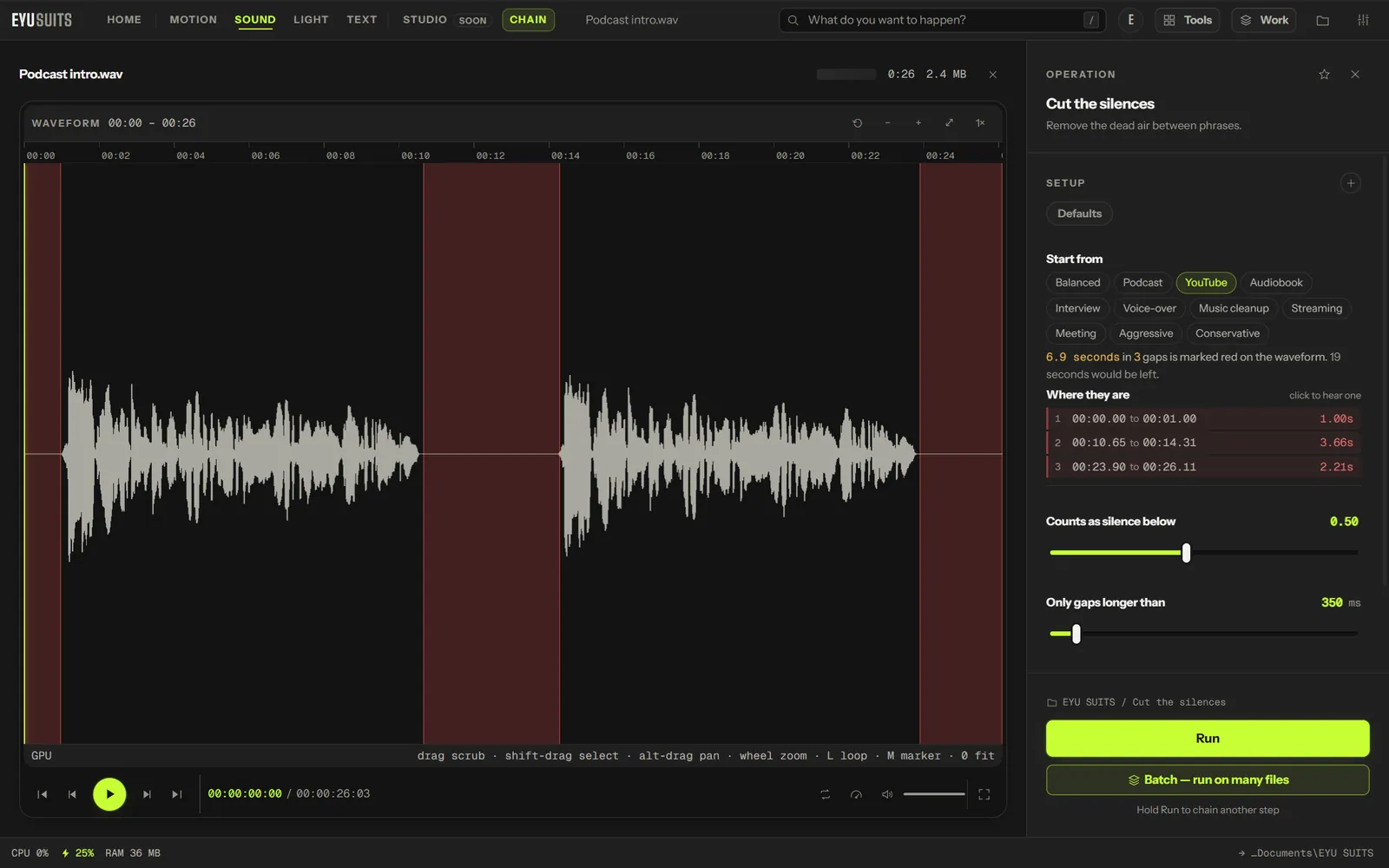
What it does
- Finds speech with a voice activity model, not just a volume threshold.
- Shows what will go before you run it: red marks on a video's timeline, or on an audio waveform.
- Leaves a little space either side of each phrase, so speech keeps its rhythm.
- Video is re-encoded on the graphics card.
What you can set
- Counts as silence below: how confident the speech model must be that someone is talking. Anything under it counts as silence.
- Only gaps longer than: 100 to 3000 milliseconds.
- Leave: how much pause to keep, up to 500 milliseconds.
Works with
Video (MP4, MKV, MOV, AVI, WEBM, M4V, MPG, WMV and FLV) and audio (WAV, MP3, FLAC, M4A, AAC, OGG, WMA, OPUS and AIFF).
Needs the Deep audio AI add-on, a one-time download of about 3.6 GB from inside EYU SUITS.
How it works
- 01Open the file in EYU SUITS: drop it anywhere in the window, or press Choose a file.
- 02Pick Cut the silences from the tools listed beside it, and change the settings if you want to. The defaults are a sensible start.
- 03Press Run. The result is saved to your EYU SUITS folder, and the original is left as it was.
Questions
Will the result sound choppy?
Keep a short pause with Leave, and only cut gaps longer than about half a second, and speech keeps its natural rhythm.
Does the video stay in sync?
Yes. The picture and the sound are cut at the same points.
More in Sound
-
Remove noise
Strip hiss, hum and room tone out from under the voice.
-
Normalize loudness
Bring the whole track to a consistent broadcast level.
-
Enhance
Shape the tone for a specific kind of listening.
-
Change speed
Speed up or slow down without shifting the pitch.
-
Fade
Ease the track in at the head and out at the tail.
-
Separate stems
Split the mix into vocals, drums, bass and the rest.