
Separate vocals, drums, bass and instruments
Separate stems splits a finished mix into its parts: vocals, drums, bass and everything else. Make an instrumental, an a cappella, or a practice track, on your own graphics card.
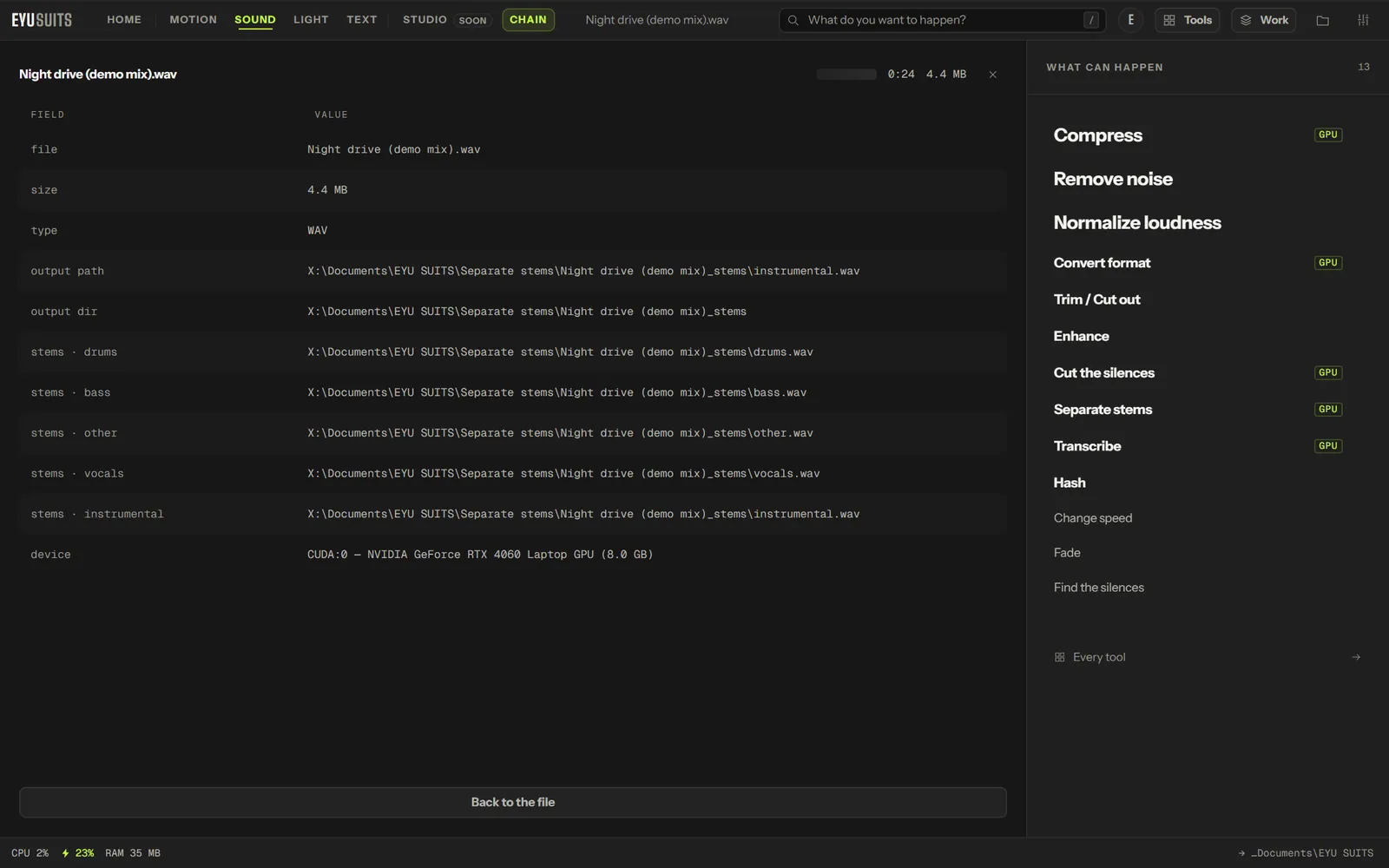
What it does
- Four stems: vocals, drums, bass and the rest.
- Or only the vocals, or only the instrumental.
- Three Demucs models: HTDemucs, HTDemucs FT (slower, cleaner) and MDX Extra (faster).
- Each stem saved as a WAV.
- Runs on the graphics card.
What you can set
- Model: HTDemucs, HTDemucs FT or MDX Extra.
- Produce: all four stems, vocals only, or instrumental only.
Works with
Audio (WAV, MP3, FLAC, M4A, AAC, OGG, WMA, OPUS and AIFF).
Needs the Deep audio AI add-on, a one-time download of about 3.6 GB from inside EYU SUITS.
How it works
- 01Open the file in EYU SUITS: drop it anywhere in the window, or press Choose a file.
- 02Pick Separate stems from the tools listed beside it, and change the settings if you want to. The defaults are a sensible start.
- 03Press Run. The result is saved to your EYU SUITS folder, and the original is left as it was.
Questions
Can I make a karaoke track?
Yes. Choose Instrumental only and the vocals are taken out.
Can I use the stems of any song?
The tool works on any recording, but using the result publicly still needs the rights to the song.
More in Sound
-
Remove noise
Strip hiss, hum and room tone out from under the voice.
-
Normalize loudness
Bring the whole track to a consistent broadcast level.
-
Enhance
Shape the tone for a specific kind of listening.
-
Change speed
Speed up or slow down without shifting the pitch.
-
Fade
Ease the track in at the head and out at the tail.
-
Cut the silences
Remove the dead air between phrases.