
Transcribe audio and video to text and subtitles
Transcribe turns the speech in a recording or a video into text, with the time of every line, ready to use as subtitles. It runs on your own computer, so interviews, meetings and private recordings are never uploaded.
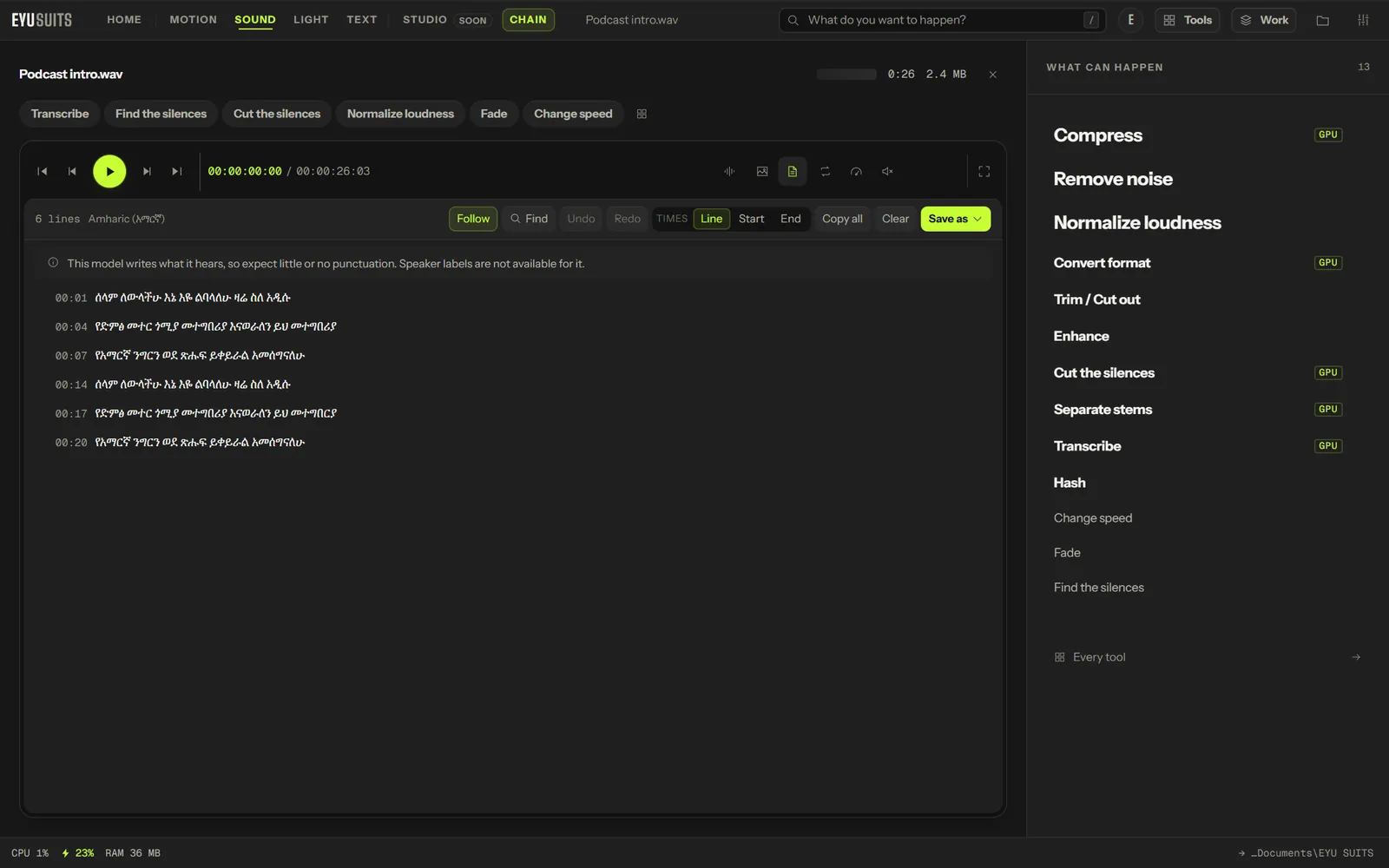
What it does
- More than 1,200 languages, or let it detect the language.
- Amharic and many languages other tools skip, through Meta's Omnilingual speech model.
- Speaker labels for up to six people.
- Translate the speech into English as it transcribes.
- Five model sizes, from Tiny (fastest) to Large v3 (most accurate).
- Saves an SRT subtitle file, and shows the transcript to read and copy.
What you can set
- Language: detect it, or choose one.
- Model: Tiny, Base, Small, Medium or Large v3.
- Task: transcribe in the original language, or translate into English.
- People talking: one to six.
Works with
Audio (WAV, MP3, FLAC, M4A, AAC, OGG, WMA, OPUS and AIFF) and video (MP4, MKV, MOV, AVI, WEBM, M4V, MPG, WMV and FLV).
Runs on the processor as installed. The Speech on the graphics card add-on (735 MB) moves it to an NVIDIA graphics card. Amharic and the other added languages need the Deep audio AI add-on (about 3.6 GB), and their model is a further 3.9 GB, downloaded the first time you use it.
How it works
- 01Open the file in EYU SUITS: drop it anywhere in the window, or press Choose a file.
- 02Pick Transcribe from the tools listed beside it, and change the settings if you want to. The defaults are a sensible start.
- 03Press Run. The result is saved to your EYU SUITS folder, and the original is left as it was.
Questions
Is my recording uploaded?
No. The speech is recognised on your computer. The only thing downloaded is the model itself, once.
How accurate is the Amharic?
On Google's FLEURS Amharic test set, 223 recordings, it measured a 26% word error rate through EYU SUITS itself. Clear speech with little noise does best.
More in Sound
-
Remove noise
Strip hiss, hum and room tone out from under the voice.
-
Normalize loudness
Bring the whole track to a consistent broadcast level.
-
Enhance
Shape the tone for a specific kind of listening.
-
Change speed
Speed up or slow down without shifting the pitch.
-
Fade
Ease the track in at the head and out at the tail.
-
Cut the silences
Remove the dead air between phrases.